
Key Takeaways
- OCR converts printed characters in scans and images into machine-readable text.
- ICR is designed to recognize hand-printed and cursive handwriting, but results depend on writing quality and document clarity.
- Intelligent document processing goes beyond recognition by classifying documents, extracting business fields, validating results and connecting the data to other systems.
- OCR and ICR are useful technologies, but neither automatically creates an end-to-end document workflow.
- The right choice depends on the documents you receive, the information you need and how the extracted data will be used.
A scanned document can be perfectly readable to a person and still be difficult for a business system to use. The words may be visible, but the policy number, invoice total, customer name or effective date remains trapped inside the page.
This is where OCR, ICR and intelligent document processing are often mentioned. Although the terms are related, they do not mean the same thing. OCR focuses mainly on printed text. ICR addresses handwriting. Intelligent document processing combines recognition with document understanding, validation and workflow automation.
Knowing the difference helps businesses avoid a common mistake: buying a text-recognition tool when the actual requirement is to extract trusted data and move it into a claims platform, ERP, CRM, policy administration system, database or review queue.
The Problem: Recognizing Text Is Not the Same as Understanding a Document
Consider an insurance agency receiving a policy declaration, an ACORD form, a repair estimate and a handwritten witness statement for the same customer. Each file contains useful information, but the formats are different.
OCR may make the printed pages searchable. ICR may help read the handwritten statement. Yet an employee may still need to identify the correct policy number, confirm the effective date, locate coverage limits, check whether the form is signed and enter the information into another system.
The real business requirement is therefore not simply “read the page.” It is:
- Identify what type of document has arrived.
- Find the fields needed for the next process.
- Understand how labels and values relate to one another.
- Recognize printed and handwritten information.
- Flag values that may be uncertain or incomplete.
- Deliver approved data to the system where work continues.
OCR and ICR contribute to this process, but intelligent document processing coordinates the complete workflow.
Relevant Document Examples
Insurance Documents
Policy declarations, ACORD forms, claims forms, endorsements, loss reports, estimates, invoices, medical records, police reports and handwritten witness statements.
Finance Documents
Invoices, purchase orders, bank statements, loan applications, KYC documents, expense reports and receipts.
Legal Documents
Contracts, amendments, case files, discovery documents, regulatory filings and policy manuals.
Healthcare Documents
Patient intake forms, consent forms, lab reports, benefits documents, clinical notes and handwritten annotations.
Supply Chain Documents
Bills of lading, packing lists, delivery receipts, customs declarations, vendor invoices and shipping manifests.
A clean printed invoice may need OCR. A handwritten claims form may also need ICR. A business that wants to classify either document, extract specific fields, validate them and send the results into an operational system needs a broader intelligent document processing workflow.
What Is OCR?
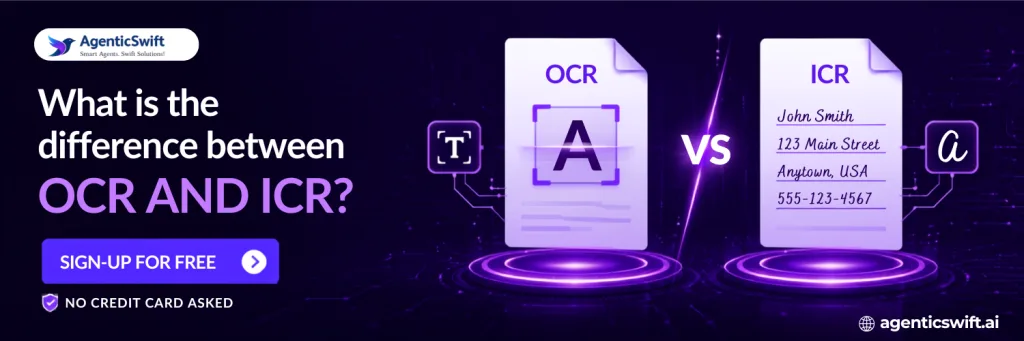
Optical character recognition, or OCR, converts printed characters in a document image into machine-readable text. It is widely used to digitize scanned paperwork, make image-based PDFs searchable and reduce full-page transcription.
OCR is valuable because computers cannot reliably work with text that exists only as pixels. Once the characters have been recognized, a user can search, copy or process the text.
What OCR Does Well
- Reads clear printed text from scans, PDFs and images.
- Makes archived documents searchable.
- Supports large-scale document digitization.
- Reduces the need to type an entire printed page manually.
What OCR Does Not Automatically Know
OCR can read the characters “08/01/2026,” but it may not know whether the date represents the policy start date, invoice date, date of loss or renewal date. It can recognize several amounts without knowing which one is the subtotal, tax, premium or final total.
The text becomes digital, but the business meaning may still be unresolved.
What Is ICR?
Intelligent character recognition, or ICR, is used to recognize hand-printed and cursive handwriting. It is relevant when people complete forms by hand, add margin notes, sign documents or submit written statements.
Handwriting recognition is more complex than printed text recognition because letter shapes, spacing, pressure and writing styles vary from one person to another. Image quality also affects the result. A clearly written reference number in a form field is usually easier to process than a hurried cursive note across a scanned page.
Where ICR Is Useful
- Handwritten names, dates, addresses and reference numbers.
- Witness statements and claims notes.
- Patient intake forms and clinical annotations.
- Inspection reports and field-service forms.
- Signed delivery receipts and handwritten exceptions.
ICR makes handwritten values available for extraction, but the system must still determine what each value means and whether it is reliable enough to proceed without review.
What Is Intelligent Document Processing?
Intelligent document processing, commonly called IDP, is a wider automation approach. It combines OCR, ICR, computer vision, natural language processing, document classification, field extraction, validation and integration.
Instead of stopping after the text is recognized, IDP attempts to answer operational questions:
- What kind of document is this?
- Which fields matter to the current workflow?
- Where are those fields located in this version of the document?
- Do the extracted values match expected formats or business requirements?
- Which values are uncertain and require human attention?
- Where should the approved data go next?
An AI document parser usually works within this IDP layer. OCR and ICR help it read the page. Computer vision helps interpret tables, fields, signatures, checkboxes and layout. Natural language processing helps determine meaning and relationships. Confidence scoring and validation help control what can proceed automatically.
OCR vs ICR vs Intelligent Document Processing
OCR Reads Printed Characters
Choose OCR when the primary objective is to digitize clear printed text or make scanned documents searchable.
ICR Reads Handwritten Characters
Add ICR when handwritten or hand-printed information is material to the workflow.
IDP Turns Documents Into Workflow Data
Choose intelligent document processing when documents must be classified, structured, validated, reviewed and connected to other systems.
The technologies are not mutually exclusive. A production document workflow may use OCR for printed sections, ICR for handwritten fields and IDP to understand and manage the full document.
The Current Manual Workflow
Without intelligent document processing, teams commonly follow this process:
- Open every incoming file.
- Decide what type of document it is.
- Run OCR or read the content manually.
- Locate the fields required for the business process.
- Interpret handwritten content or ask for clarification.
- Copy the values into another system.
- Compare the entered information with the source.
- Escalate missing or uncertain information.
OCR may reduce the effort needed to transcribe printed text, but it does not necessarily remove document classification, field identification, validation or system entry.
Are Searchable Documents Still Creating Manual Work?
If your team can search scanned files but still has to identify and re-enter the same fields, the problem has moved beyond basic OCR. Test a representative document to see what can be extracted, validated and delivered as structured data.
The Automated Workflow
A well-designed intelligent document processing workflow can operate as follows:
- Receive documents through an upload, email inbox, folder, portal, scanner, FTP connection or API.
- Classify the incoming document based on its content.
- Use OCR to read printed sections and ICR where handwriting is present.
- Identify fields, labels, tables, checkboxes, signatures and relationships.
- Apply validation rules and field-level confidence scores.
- Send only uncertain or inconsistent values for human review.
- Deliver approved data to the required business system.
Human review is not removed from the process. It is focused on the values that genuinely need attention instead of being applied to every page.
Where Conventional OCR Falls Short
OCR Produces Text Rather Than Business Fields
A list of recognized words is not the same as a structured policy, claim, invoice or contract record. Another layer must connect each value to the correct field.
OCR Can Lose Layout Relationships
Tables, multi-column pages, nested line items and checkboxes depend on visual relationships. When a page is flattened into text, those relationships may be lost.
Printed-Text Models Are Not Designed for Handwriting
Handwritten forms and annotations need recognition designed for variable letter shapes and writing styles.
OCR Does Not Decide What Requires Review
A wrongly recognized number can look valid. Without field-level confidence, validation and exception routing, the error may continue into another system.
How AgenticSwift Approaches the Problem
AgenticSwift’s AI Doc Parser combines recognition and document understanding. OCR reads printed content, ICR supports handwriting, computer vision interprets visual structure and natural language processing helps identify meaning.
The parser can be configured to identify the fields a workflow needs, attach confidence information and deliver structured output for ERP, CRM, claims, policy administration, database or review systems.
It is also designed to handle document variations without requiring a separate model-retraining cycle for every change in layout. New fields, rules, languages and integrations still need to be defined and tested, but the workflow is not limited to one fixed template.
The aim is practical: reduce repetitive document handling while ensuring that uncertain values remain visible to a reviewer.
Practical Evaluation Criteria
Test Real Documents
Include ordinary documents, poor scans, handwriting, photographs, uncommon layouts and edge cases. Clean vendor samples do not represent production conditions.
Measure Accuracy by Field
Measure important fields separately. An overall percentage may hide errors in dates, identifiers, monetary values or coverage limits.
Evaluate Handwriting Independently
Printed-text performance does not predict handwriting performance. Use representative samples from the actual workflow.
Check the Human-Review Rate
A solution that sends most documents for full manual review may not produce the expected operational benefit.
Test Layout and Document Variability
Include documents from different issuers and versions to see whether the system depends on one template.
Confirm Traceability and Integration
Reviewers should be able to trace extracted values to the source, correct exceptions and send approved data to the required system.
Frequently Asked Questions
Is OCR the same as intelligent document processing?
No. OCR recognizes printed characters. Intelligent document processing uses OCR as one component within a broader workflow that can classify documents, extract fields, validate values and integrate data.
What is the difference between OCR and ICR?
OCR is primarily used for printed text. ICR is designed for hand-printed and cursive handwriting. Both recognize characters, but neither automatically creates an end-to-end document workflow.
Can ICR read all handwriting accurately?
No handwriting system should be assumed to read every style perfectly. Writing quality, image clarity and field complexity affect the result, so uncertain values should be reviewed.
Does intelligent document processing replace OCR?
No. It commonly uses OCR and ICR as recognition layers and adds classification, layout understanding, extraction, validation and workflow integration.
Which technology is suitable for insurance documents?
Printed declarations may use OCR, handwritten statements may require ICR and end-to-end claims or policy workflows usually need intelligent document processing.
How should document extraction accuracy be evaluated?
Measure field-level accuracy on representative documents and track the human-review rate, exception types, processing time and downstream errors.
Move From Readable Text to Usable Data
OCR and ICR make document content readable. Intelligent document processing makes that content usable. Test AgenticSwift’s AI Doc Parser on a real printed, scanned or handwritten document to see what can be extracted, where review is required and how the data can connect to your workflow.