
Key Takeaways
- An AI document parser reads a document, understands its layout, and extracts fields as structured data. No templates needed.
- It combines computer vision, OCR, and language models. Each layer does what the layer below cannot.
- Leading tools hit 95 to 99 percent accuracy on clean documents and 90 to 94 percent on scans. Legacy OCR sits at 60 to 70 percent on the same work.
- Processing time drops from minutes per document to seconds. Straight-through processing rates commonly reach 80 to 95 percent.
- The real difference is architectural. OCR-based parsers classify and extract. Agentic parsers also reason about whether the answer is right.
- Evaluate on schema fidelity, per-field confidence, table extraction, and deployment options. Not on demo accuracy on curated data.
What Is an AI Document Parser?
An AI document parser is software that uses artificial intelligence to read business documents, understand their layout and meaning, and extract specific fields as structured data such as JSON, CSV, or database rows. Unlike traditional OCR, which converts images into raw text, an AI doc parser understands context. It knows that a value labelled “Amount Due” and one labelled “Balance Owed” refer to the same field, regardless of where they sit on the page.
Under the hood, an AI document parser combines three technologies:
- Computer vision to segment a page into regions such as headers, tables, key-value blocks, and signature fields.
- Optical character recognition (OCR) to convert text within each region into machine-readable characters.
- Vision-language models to interpret what those characters mean in the context of the document, and map them to a defined schema.
The result is a template-free extraction pipeline that works on any document, in any format, from any vendor. New layouts do not require new templates. New document types do not require model retraining. This is what separates a modern AI document parser from a legacy OCR tool with a machine-learning wrapper.
Common use cases include invoice processing, contract review, insurance claims intake, patient record digitisation, resume screening, tax form extraction, and any workflow where structured data is trapped inside PDFs, scans, or images.
The Problem: Every Business Runs on Documents Nobody Wants to Read
A mid-sized finance team receives 3,000 supplier invoices a month. Each one has to be checked. Matched against a purchase order. Coded to a ledger account. Posted to the ERP.
The invoices arrive as PDFs, scans, and phone photos. Sometimes buried three replies deep in an email chain. Sometimes with the total in the top-right corner. Sometimes at the bottom of a two-page document. Sometimes split across line items with a separate tax summary.
Every layout change breaks whatever rule was written to catch the last one. And the layouts keep changing. A new supplier joins. An existing supplier updates their branding. A country introduces a new tax field. Each event triggers a maintenance cycle that never ends.
This is the document parsing problem. It shows up in every industry that runs on paperwork. Insurance parses ACORD forms and claims. Healthcare parses patient intake and EOBs. Legal parses contracts. HR parses resumes. The document changes. The pain does not.
The hidden costs are worse than the visible ones. Errors caught downstream cost roughly 10 times more to fix than errors caught at intake. Audit preparation becomes a scramble. Compliance exposure quietly grows. Volume growth exposes the fragility of the process rather than the strength of the team.
Until recently, the only options were manual entry or template-based OCR. Both break at scale. AI document parsers changed that around 2023, and the gap has widened every year since. This guide explains how they work, where OCR falls short, and how to tell a real AI parser from an OCR tool with an AI badge.
Documents an AI Parser Typically Handles
A well-built AI doc parser is not a one-format tool. It is a general-purpose extraction engine that adapts to whatever you point it at. Some of the documents below are highly regulated. Others are messy by nature. All share one problem: they carry critical business data in a format designed for human eyes, not machines.
- Insurance: ACORD forms, policy declarations, endorsements, certificates of insurance, FNOL and claims documents, subrogation packets, loss run reports
- Healthcare: patient intake forms, EOBs, CMS-1500 and UB-04 claims, lab reports, prescriptions, prior-authorisation forms, discharge summaries
- Legal: contracts, NDAs, MSAs, SOWs, compliance filings, KYC packets, court filings, discovery documents, due-diligence dossiers
- EdTech: student transcripts, applications, enrolment forms, academic credentials, financial aid documents, exam records, verification letters
- Pharma: clinical trial protocols, adverse event reports, drug labels, batch records, regulatory submissions, safety data sheets, CoAs
- HR: resumes, offer letters, I-9 and W-4 forms, benefits enrolments, performance reviews, training certificates, background check reports
- Taxation: W-2s, 1099s, Form 16, GST and VAT returns, tax notices, audit documents, expense receipts, transfer pricing files
- Finance: invoices, purchase orders, bank statements, financial statements, credit reports, reconciliation reports, loan applications
The common thread is simple. Structured information trapped inside an unstructured page. The parser frees it and delivers it in a format your systems can actually use.
The Manual Workflow Today
In most organisations, the current process looks like this:
- A document lands in an inbox, folder, or paper tray.
- A person opens it and identifies the fields they need. Invoice number, vendor, amount, due date, line items, tax breakdown.
- They type each field into an ERP form or spreadsheet. Alt-tabbing between the document and the destination system.
- They cross-check totals against a purchase order in a separate system. Chase supplier codes in a vendor master. Verify tax IDs.
- They file the original for audit. If the scan is illegible or a field is missing, they email the supplier and wait.
- If the document arrived through a shared inbox, someone updates a tracker so two clerks do not process it twice.
A skilled clerk processes 8 to 15 invoices per hour. Error rates on manual entry sit around 1 to 4 percent. That sounds low. Multiply it across 3,000 invoices a month and it is not.
The visible cost is the clerk’s time. The hidden cost is much larger. Errors flow into the ERP and are caught weeks later during reconciliation. Duplicate payments happen. Late payments trigger supplier disputes. Audit preparation becomes a full-time job for someone at quarter-end.
The workflow fails at scale for one reason. Volume outgrows headcount. The work is the exact kind of repetitive pattern recognition that human brains handle badly. Skilled staff burn out on data entry that should never have been theirs to do.
The Automated Workflow
Drop an AI document parser into the same process. The workflow collapses to this:
- A document lands in an inbox, watched folder, or API endpoint. Ingestion is automatic.
- The parser identifies the document type. It extracts every field defined in the schema.
- Each field returns with a confidence score between zero and one.
- Fields above the threshold, typically 0.95, flow straight into the ERP without human touch.
- Fields below the threshold route to a human reviewer in a purpose-built queue. The reviewer sees the document and the flagged field side by side. One click corrects it. The correction feeds back into the model.
- The original document is archived, indexed by extracted fields, and searchable across the whole corpus.
Processing time drops from 4 to 12 minutes to under 5 seconds. Straight-through processing rates reach 80 to 95 percent on clean documents and 60 to 80 percent on mixed-quality scans. Automated data extraction stops being the bottleneck in your document workflow.
The human role does not disappear. It changes. Your team stops typing invoices. They start investigating anomalies, resolving supplier disputes, and improving upstream processes. The parser handles the volume. The people handle the judgement.
Downstream benefits show up quickly. Days sales outstanding shortens because invoices post the same day they arrive. Duplicate payment risk drops because the parser flags near-duplicates automatically. Audit trails are complete by default because every document, every extracted field, and every human correction is logged.
Where Conventional OCR Fails
OCR and document parsing are not the same thing. This confusion costs teams a lot of money.
OCR turns pixels into characters. That is its entire scope. It has no idea what the text means. It cannot tell an invoice total from a phone number. Every OCR engine, from the oldest to the newest, stops at that boundary.
To go from OCR output to structured data, teams have historically written rules. “The amount is in the box at coordinates (450, 780).” “The invoice number follows the label ‘Invoice #’.” These rules work on one exact layout. They break the moment a vendor changes template.
Where OCR-based intelligent document processing consistently fails:
- Layout variation. Every new vendor needs a new template. Enterprises with thousands of suppliers cannot maintain thousands of templates without a dedicated ops team.
- Tables. OCR reads left-to-right, top-to-bottom. It has no concept of columns or rows. Line items collapse into text streams where the quantity column bleeds into the description. Reconstructing that mess downstream takes more time than the OCR saved.
- Handwriting and low-quality scans. OCR accuracy drops sharply below 200 DPI. Cursive text, faded ink, and phone photos with lighting variation are worse. Real business documents look like this all the time.
- Contextual meaning. OCR cannot tell that one date is a due date and another is an invoice date. It needs a rule for each one. When the labels move, the rules fail silently.
- Multi-language documents. OCR engines are trained per language. Mixed-language invoices, common in cross-border trade, break them.
- Signatures and stamps. OCR ignores anything that is not a character. Signature presence, position, and completeness often matter for compliance and workflow routing.
Modern AI parsers still use OCR as one component. But the OCR sits inside a much bigger stack that handles everything OCR alone cannot. Treating OCR as a document parser is like treating a keyboard as a word processor.
How AgenticSwift’s AI Doc Parser Is Different from OCR-Based Parsers
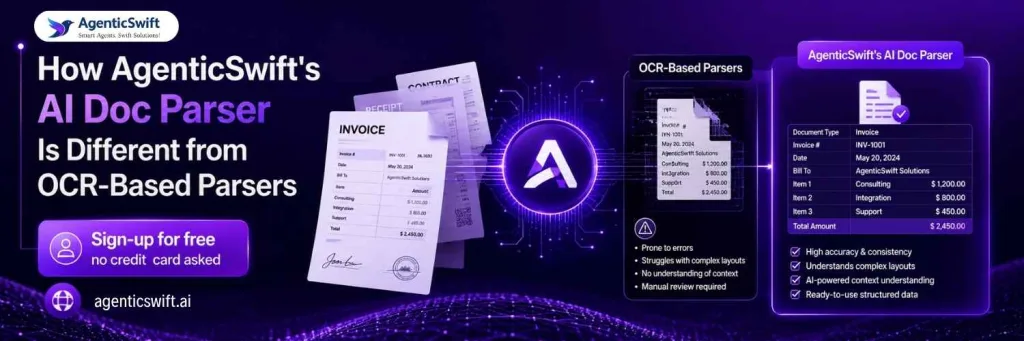
Most tools on the market are OCR-based document parsers wearing an AI badge. They classify. They extract. They fail on anything they were not explicitly trained for. When a new document arrives, they either produce garbage confidently or hand it to a human queue.
AgenticSwift‘s AI Doc Parser is built on a fundamentally different architecture. Here is how the two approaches compare in practice:
| What happens | OCR-based parser | AgenticSwift’s AI Doc Parser |
| New document layout arrives | Fails or routes to human queue. Needs a new template or model retraining. | Adapts at runtime. No retraining. No new template. |
| Complex borderless table | Flattens rows into unusable text. | Preserves row and column relationships. |
| Handwritten fields | Fails or returns garbage. | 90 to 94 percent accuracy with confidence scoring. |
| Values labelled differently across vendors | Rule-based. Breaks when labels change. | Semantic understanding. “Amount Due” and “Balance Owed” map to the same field. |
| Error catching | None. Extraction ends the pipeline. | Second AI pass validates totals, dates, and required fields. |
| Format changes over time | Requires a data-science cycle for every change. | Self-healing. Adapts automatically. |
| Confidence signals | Document-level score, at best. | Per-field confidence for granular review routing. |
The architectural difference matters more than any single feature. OCR-based tools were built before agentic AI existed. They can only tell you what they read. Ours reasons about whether the answer is right.
A concrete example. A new supplier sends an invoice for the first time on a Tuesday morning. It has a layout your system has never seen. Under an OCR-based parser, the extraction fails, the document routes to a human queue, and a data scientist gets a ticket to build a new template by Friday. Under our parser, the invoice is extracted, validated, and posted to the ERP inside 5 seconds. Every new format is a Tuesday morning problem your team no longer has.
Three design choices drive this:
- Retraining-free extraction. New formats do not require a new model. The engine is domain-agnostic by design, which means the same platform ingesting insurance claims can ingest lab reports without a separate deployment.
- Self-healing pipeline. When a document deviates from expected structure, the system adapts at runtime rather than failing to human review. Layout drift, added fields, and vendor rebrands are absorbed silently.
- Agentic validation layer. A second AI pass cross-checks totals against line items, verifies date logic, and flags missing fields. This catches errors single-pass parsers miss. It is why enterprise accuracy stays above 99 percent on clean documents.
This is why the same engine powers document AI across insurance, healthcare, legal, EdTech, pharma, HR, taxation, and finance without vertical-specific rework. Template-free document parsing is not a feature. It is the whole architecture.
How AgenticSwift’s AI Doc Parser Compares to Other AI Document Parsers
Not every tool called an “AI document parser” is built the same way. Some are hyperscaler platforms locked to a single cloud. Some are developer-first RAG ingestion tools. Some are SMB-focused with limited enterprise features. Here is how AgenticSwift’s AI Doc Parser stacks up against the other leading options in the market.
| Platform | Clean Docs | Scans / HW | Best For |
| AgenticSwift’s AI Doc Parser | 99%+ | 94%+ | Enterprise IDP across insurance, healthcare, legal, EdTech, pharma, HR, taxation, finance |
| Docparser | ~92-95% | ~85% | SMB invoice and receipt automation. Rules-based, template-driven. |
| LlamaParse | ~95-98% | ~90% | RAG ingestion and developer pipelines. Not designed for enterprise workflows. |
| Reducto | ~96-99% | ~92% | Complex tables and financial PDFs. Strong on structure, single generic model. |
| Google Document AI | ~95-99% | ~90% | Teams already on Google Cloud. Cloud-locked, pretrained processors. |
| AWS Textract | ~95% | ~88% | Teams already on AWS. Cloud-locked, limited schema customisation. |
| Azure Document Intelligence | ~95-99% | ~90% | Teams already on Microsoft 365. Cloud-locked, prebuilt models. |
| Nanonets | ~95-97% | ~88% | Mid-market OCR-plus with a shorter learning curve. Weaker on complex documents. |
Where AgenticSwift wins head-to-head
- vs Docparser: Docparser still leans on zonal OCR rules and anchor keywords. AgenticSwift is fully template-free and handles unseen layouts on day one, with no data-science cycle when a supplier changes their form.
- vs LlamaParse: LlamaParse is excellent for feeding documents into a RAG index but is a developer tool at heart. AgenticSwift includes the agentic validation layer, human-in-the-loop review console, and native ERP and CRM connectors that enterprise workflows need.
- vs Reducto: Comparable raw accuracy, but AgenticSwift offers domain-tuned models per industry rather than one general parser. This matters more on ACORD forms, CMS-1500s, and compliance documents than on generic invoices.
- vs Google Document AI, AWS Textract, Azure DI: Hyperscaler parsers lock you into a single cloud. AgenticSwift is cloud-agnostic with on-premise, VPC, and air-gapped deployment for regulated industries.
- vs Nanonets: Nanonets targets the mid-market. AgenticSwift is built for enterprise scale, with the self-healing architecture, agentic validation, and forward-deployed engineering support that comes with it.
Before and After: What OCR Sees vs What the Parser Delivers
Here is what actually happens to a supplier invoice when it passes through the parser. On the left, the raw output from a conventional OCR engine. On the right, the same document after AgenticSwift’s AI Doc Parser has read it, understood it, and structured it.
| Raw text stream, no structure: BRIGHT STEEL SUPPLIES LTD Unit 4, Trinity Industrial Estate Sheffield S9 2FY VAT GB123456789 INVOICE INV-2026-04871 Date 14/07/2026 Due 13/08/2026 Description Qty Unit Total Cold-rolled steel sheet 40 82.50 3300.00 Delivery and handling 1 145.00 145.00 Subtotal 3445.00 VAT (20%) 689.00 TOTAL DUE 4134.00 GBP The text is there. The meaning is not. Columns bleed into rows. Labels merge with values. No system can post this to an ERP without a human deciphering it first. | Structured data, every field labelled: Vendor: Bright Steel Supplies Ltd. VAT ID: GB123456789 Invoice Number: INV-2026-04871 Invoice Date: 2026-07-14 Due Date: 2026-08-13 Line Items: • Cold-rolled steel sheet Qty 40 × £82.50 = £3,300.00 (99% conf.) • Delivery and handling Qty 1 × £145.00 = £145.00 (97% conf.) Subtotal: £3,445.00 VAT: £689.00 Total: £4,134.00 Overall confidence: 98% |
The document went in as a scan. It came out as structured data ready to post into any ERP, database, or downstream workflow. No human retyped a single field. The whole extraction took under 5 seconds.
How to Evaluate an AI Document Parser
If you are shopping for a parser, these are the criteria that separate production-ready tools from demoware. Run every vendor through this list before signing anything.
1. Accuracy on your documents, not their demo set. Every demo works on curated data. Insist on a proof-of-concept with 100 to 200 of your real documents, including the messy ones. Target 97 percent accuracy on clean digital files and 90 percent on your worst scans. Vendors who refuse this test are hiding something.
2. Schema fidelity. The parser should conform to a schema you define. Not the other way around. Ask how nested schemas, optional fields, and enum types are handled. Ask what happens when a required field is missing from the source document.
3. Per-field confidence scoring. Document-level scores are useless in production. You need per-field scores so you can route only uncertain fields to human review, not entire documents. This single feature determines whether straight-through processing is 40 percent or 90 percent.
4. Table and line-item extraction. Ask for a document with a complex borderless table that spans a page break. If accuracy drops there, the parser will fail on invoices, purchase orders, and financial statements. This is the single most common failure mode of otherwise capable parsers.
5. Human-in-the-loop review. Look for a review queue with one-click corrections. Ask whether reviewer corrections retrain the model, when, and whether that retraining is included in the price. “Corrections improve the model” is often marketing. “Corrections retrain the model automatically every 24 hours” is a feature.
6. Deployment options. Regulated industries such as insurance, healthcare, and pharma need on-premise or air-gapped deployment. Confirm the option you need is production-supported, not “planned”. Ask for a customer reference running it that way.
7. Integration surface. REST API is table stakes. Look for native connectors to whatever ERP, CRM, or data platform you already use. Webhook delivery for custom destinations. SDKs in the languages your team writes.
8. Pricing model. Per-page pricing with volume discounts scales predictably. Per-template, per-user, or per-model fees do not. Any pricing model that punishes you for growth is a red flag that the vendor has not built for enterprise scale.
Frequently Asked Questions
What is an AI document parser?
An AI document parser is software that uses artificial intelligence to read business documents, understand their layout, and extract fields as structured data. It combines computer vision, OCR, and vision-language models to work without templates. Unlike a traditional OCR tool, it understands what the text on a page actually means and outputs schema-ready JSON, CSV, or database rows.
What is the difference between an AI document parser and OCR?
OCR converts images into text. That is all it does. An AI document parser uses vision-language models to understand what the text means in context, then maps values to a defined schema. OCR is one component inside a modern AI parser. It is not a replacement for one. Buying OCR when you need a parser is the most common and expensive mistake enterprise teams make in this space.
How does an AI document parser work?
It runs a document through four stages. Vision models segment the layout into regions. OCR reads text within each region, tuned to whether that region contains printed text, handwriting, or stamps. A vision-language model interprets the values in visual context and maps them to your schema. A second agentic pass validates the output by cross-checking totals, verifying date logic, and flagging low-confidence fields. The result is structured JSON with per-field confidence scores, ready for any downstream system.
Do I need to train an AI doc parser on my documents?
No, if the parser is built correctly. Modern AI doc parsers are template-free and pre-trained on billions of documents. They work on your first upload of any document type. Corrections you make during human-in-the-loop review can fine-tune performance on edge cases specific to your workflow, but no upfront training project is required. If a vendor tells you otherwise, they are selling you a legacy tool with an AI wrapper.
How accurate are AI document parsers today?
Leading tools hit 95 to 99 percent field-level accuracy on clean digital documents and 88 to 94 percent on scans, handwritten forms, and phone photographs. Accuracy varies by document type, image quality, and complexity of the target schema. Always run a proof-of-concept on your actual documents before believing any accuracy claim. A vendor who cannot show you accuracy on your documents cannot deliver accuracy on your documents.
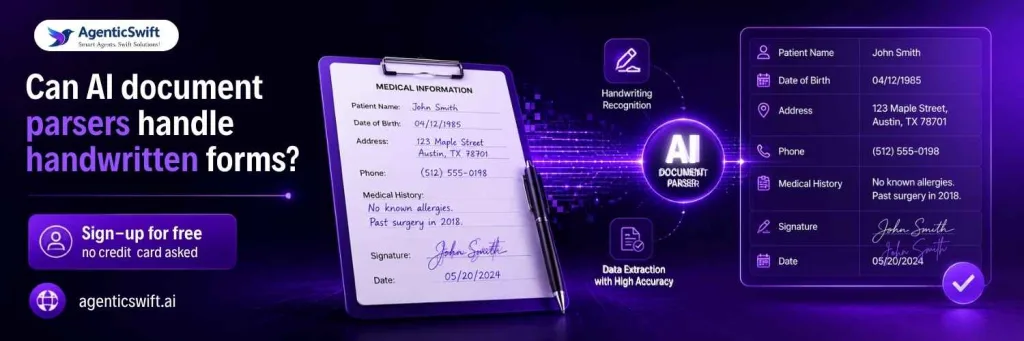
Can AI document parsers handle handwritten forms?
Yes. Handwriting recognition is handled by specialised sub-models within the parser. Accuracy typically hits 90 to 94 percent on legible printed handwriting and 80 to 88 percent on cursive. Confidence scoring means uncertain handwritten fields route to human review automatically, so the workflow does not stall on hard-to-read documents.
How long does deployment take?
For standard document types like invoices, contracts, receipts, and common insurance and healthcare forms, deployment is usually one to two weeks. That covers API integration, schema definition, and a validation period on real documents. Custom document types or on-premise deployments in regulated industries typically take four to eight weeks depending on integration complexity and security review.
Ready to See It Run on Your Documents?
AgenticSwift’s AI Doc Parser extracts data from any business document. No templates. No training data. 99 percent-plus accuracy on clean files. Domain-tuned models for insurance, healthcare, legal, EdTech, pharma, HR, taxation, and finance.
The fastest way to know if it fits your workflow is to try it on your own documents. Not a curated demo dataset. Your actual invoices, ACORD forms, contracts, or intake sheets.
Start your free trial
Upload your documents and see structured JSON in seconds. First trial requires no credit card. No sales call. No commitment. If you want to talk to an engineer after, we are here.
Try it now: demo.swiftparser.ai