
Every business runs on documents — invoices land in inboxes, contracts pile up in shared drives, claims forms get scanned and forgotten, and purchase orders bounce between teams. For decades, extracting data from these documents meant one of two things: someone typing it in by hand, or rigid template-based OCR that broke the moment a vendor changed their logo.
AI document parsing changes that equation entirely. By combining computer vision, natural language processing, and large language models, modern systems read documents the way a trained human would — understanding context, layout, and meaning rather than just pixels.
This guide walks through what AI document parsing actually is, how it differs from traditional OCR, where it’s making the biggest impact across industries, and what to look for when choosing a tool.
Key Takeaways
- AI document parsing automates the extraction of structured data from unstructured documents — PDFs, images, and scanned files spanning invoices, contracts, claim documents, legal paperwork, and real estate records like land deeds and property documents — using machine learning, NLP, and computer vision. No rigid templates required.
- It significantly outperforms traditional OCR, which only digitizes text. AI understands context — knowing that “Net 30” near a date means a payment term, or that a number after “Total” is the invoice amount.
- Intelligent document processing (IDP) can cut document handling time by up to 90% and reduce manual data entry errors by over 80% in real-world deployments.
- Top use cases: claims and patient records in healthcare, shipping documentation in logistics, insurance documents and renewals, invoice processing in finance.
- When choosing a document parsing tool, evaluate accuracy on your document types, integration ease, human-in-the-loop workflows, data security, and total cost of ownership — not just feature checklists.
- Modern AI tools handle PDFs, images, scans, and even handwritten content — outputting clean JSON, CSV, or direct database entries ready for downstream systems.
What Is AI Document Parsing?
AI document parsing is the process of using artificial intelligence to automatically extract, classify, and structure information from documents — without requiring pre-built templates for every layout.
Where traditional systems need explicit rules (“the invoice number lives at coordinates X, Y”), AI systems learn to recognize what an invoice number looks like, regardless of where it appears.
Under the hood, modern document parsing typically combines three capabilities:
- Computer vision — to detect document structure, tables, signatures, checkboxes, and layout regions.
- ICR (Intelligent character recognition)
- Natural language understanding — to interpret meaning, classify fields, and link related data points (e.g., associating a line item’s description with its quantity and price).
The output is structured data — JSON, CSV, or rows in a database — that downstream systems can immediately act on.
OCR vs AI Document Processing: What’s the Difference?
This is one of the most common points of confusion, so it’s worth being precise.
OCR (optical character recognition) is a component, not a solution. It takes an image and returns text. That’s it. If you scan a contract, OCR gives you the words on the page as a string. It doesn’t know which words are the parties’ names, which is the effective date, or which clause defines termination.
AI document processing wraps OCR inside a much larger pipeline. It adds:
- Layout understanding — recognizing tables, columns, headers, and form fields as distinct structures.
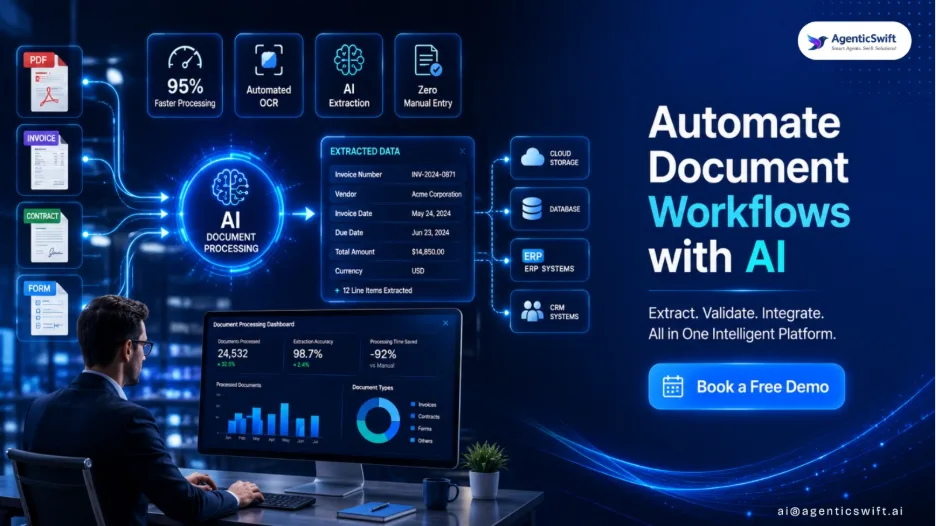
- Semantic extraction — identifying that “Invoice #INV-2024-0871” means the invoice number is “INV-2024-0871.”
- Context handling — knowing the difference between a billing address and a shipping address even when both are on the same page.
- Self-correction — using surrounding context to fix OCR mistakes (e.g., recognizing that “lnvoice” should be “Invoice”).
- Generalization — handling new vendor formats or unseen layouts without reprogramming.
A simple way to think about it: OCR reads, AI comprehends. For one-off scans of clean text, OCR alone may suffice. For any production workflow involving varied documents at scale, you want intelligent document processing.
How AI Extracts Data From Documents Automatically
A typical AI document parsing pipeline runs through roughly five stages:
1. Ingestion and pre-processing. The document enters the system — via email, API, upload, or scanner. The system de-skews, removes noise, and standardizes image quality.
2. Classification. The model identifies the document type — is this an invoice, a purchase order, a tax form, a medical report? This determines which extraction logic to apply.
3. Layout analysis and OCR. Computer vision models segment the page into regions (headers, tables, paragraphs, signatures), and OCR converts text regions into characters.
4. Field extraction. This is where the AI does its heaviest lifting. Transformer-based models (often fine-tuned LLMs or specialized models like LayoutLM and Donut) identify key fields — vendor name, line items, totals, dates — and extract them as structured key-value pairs.
5. Validation and post-processing. Confidence scores flag uncertain extractions for human review. Business rules check totals, dates, and formats. Validated data is pushed to ERPs, CRMs, or databases.
The best modern systems also support human-in-the-loop workflows — low-confidence fields surface to a reviewer, and corrections train the model further over time.
Use Cases Across Industries
Healthcare: Records, Claims, and Compliance
Healthcare runs on paperwork that absolutely cannot afford errors. AI document processing streamlines patient intake forms, insurance claims, prior authorizations, lab reports, and clinical notes. Extracted data flows into electronic health record (EHR) systems with audit trails for compliance with HIPAA and similar regulations. The result is faster claims adjudication, fewer denied claims due to data entry errors, and clinicians spending less time on documentation.
Logistics: Shipping, Customs, and Supply Chain
Global logistics generates staggering volumes of paperwork — bills of lading, commercial invoices, packing lists, customs declarations, certificates of origin, delivery receipts. Each shipment can involve dozens of documents in different languages and formats. AI parsing extracts shipment details, HS codes, weights, and consignee information automatically, accelerating customs clearance and giving supply chain teams real-time visibility instead of waiting on manual data entry.
Other Adopters Worth Noting
Legal teams use it for contract analysis and due diligence. Insurance carriers automate claims intake. Real estate firms parse leases and property records. Government agencies digitize permit applications and tax filings. Retail and e-commerce platforms process supplier documents and returns paperwork.
Insurance: Document Issuing, Renewal and Claim Settlement.
Insurance carriers handle some of the most document-heavy workflows of any industry — every policy issuance, renewal, and claim involves a thick stack of forms and supporting evidence.
AI document parsing accelerates new policy issuing by extracting applicant details, vehicle or property information, and risk factors directly from submitted proposal forms and KYC documents.
At renewal, it pulls updated data from supporting paperwork to flag changes that affect premium calculations.
And for claim settlement — the most paperwork-intensive stage — it parses FNOL (first notice of loss) submissions, claim forms, police or incident reports, repair estimates, medical bills, and survey reports to populate claims systems instantly. The result: faster turnaround times, lower claims leakage from data entry errors, and a measurably better customer experience at exactly the moments policyholders care most.
Choosing the Right Document Parsing Tool
The market is crowded — from open-source libraries to enterprise platforms with seven-figure contracts. Rather than chasing feature lists, evaluate tools against your actual workload.
Accuracy on your documents. Vendor demos always look impressive. Run a proof of concept on a representative sample of your real documents — including the messy ones, the unusual layouts, and the scanned-on-a-bad-day variants. Measure field-level accuracy, not just overall extraction rates.
Document and language coverage. Confirm support for the document types you actually handle (structured forms, semi-structured invoices, unstructured contracts) and the languages and scripts you encounter.
Integration and workflow. Look at how the tool fits your existing stack. Does it offer APIs, webhooks, native ERP/CRM/BSS connectors, or RPA integrations? How easy is it to route exceptions to human reviewers?
Human-in-the-loop tooling. No system is 100% accurate. The quality of the review interface — and how efficiently corrections feed back into model improvement — matters as much as raw extraction accuracy.
Data security and deployment. For regulated industries, on-premise or VPC deployment, SOC 2 / HIPAA / GDPR compliance, and data residency controls are non-negotiable.
Total cost of ownership. Per-page pricing can look cheap until you’re at volume. Factor in setup, training, integration engineering, and ongoing tuning. Open-source options (Donut, LayoutLMv3, Tesseract + custom models) trade licensing cost for engineering effort.
The Bigger Picture
The shift from OCR to AI document parsing isn’t just a productivity upgrade — it’s a structural change in how organizations handle information. Documents stop being friction points in workflows and start being structured inputs to automated systems.
Teams that used to drown in data entry get redirected to judgment work. And the feedback loop between extraction, correction, and model improvement means these systems get better the more you use them.
For any organization processing more than a few hundred documents a month across varied formats, the question is no longer whether to adopt intelligent document processing, but which approach fits best.
Automate Your Document Workflows with AgenticSwift AI
Ready to stop pushing paperwork and start acting on the data inside it? AgenticSwift AI Document Parser helps enterprises automate document-heavy workflows end-to-end — from ingestion and classification through extraction, validation, and direct integration with your ERP, CRM, claims, or policy admin systems.
Built for production-grade accuracy across PDFs, scanned images, and handwritten forms, with human-in-the-loop review for edge cases, enterprise-grade security and compliance, and native connectors to the systems you already run. Whether you’re processing thousands of invoices, claims, or contracts a month, AgenticSwift fits into your stack and starts delivering ROI from day one.
Frequently Asked Questions
What is AgenticSwift AI document parsing?
AgenticSwift’s AI document parser is the automated extraction of structured data from unstructured documents like PDFs, invoices, contracts, and forms using machine learning, natural language processing, and computer vision. Unlike rule-based methods, it understands document context, layouts, and semantics to capture key fields accurately — even from varied templates, scanned images, or handwritten content — without manual rules.
How is AI better than OCR?
OCR only converts images of text into machine-readable characters. AI goes further by understanding meaning, context, and document structure. It identifies fields like “Invoice Number” or “Due Date” regardless of position, handles unseen layouts, corrects OCR errors using context, and extracts relationships between data points — delivering ready-to-use structured output instead of raw text.
Can AI extract data from PDFs automatically?
Yes. AI document parsing tools process both digital and scanned PDFs automatically. They detect text, tables, signatures, checkboxes, and key-value pairs without manual templates. Once trained or pre-trained on document types, the system extracts fields directly into JSON, CSV, or databases — handling thousands of pages per hour with minimal human review for edge cases.
What are the benefits of document automation?
Document automation reduces manual data entry by up to 90%, cuts processing time from hours to seconds, and lowers error rates significantly. It enables faster invoice approvals, quicker compliance checks, and lower operational costs. Teams reclaim time for higher-value work, while businesses scale operations without proportional headcount growth — improving both accuracy and customer experience.
Which industries use AI document processing?
Finance uses it for invoice processing, loan applications, and KYC verification. Healthcare automates patient records, insurance claims, and lab reports. Logistics streamlines bills of lading, customs forms, and shipping manifests. Legal, insurance, real estate, government, and retail sectors also rely heavily on intelligent document processing to handle high-volume paperwork efficiently and accurately.